1
  2
  3
  4
  5
  6
  7
  8
  9
 10
 11
 12
 13
 14
 15
 16
 17
 18
 19
 20
 21
 22
 23
 24
 25
 26
 27
 28
 29
 30
 31
 32
 33
 34
 35
 36
 37
 38
 39
 40
 41
 42
 43
 44
 45
 46
 47
 48
 49
 50
 51
 52
 53
 54
 55
 56
 57
 58
 59
 60
 61
 62
 63
 64
 65
 66
 67
 68
 69
 70
 71
 72
 73
 74
 75
 76
 77
 78
 79
 80
 81
 82
 83
 84
 85
 86
 87
 88
 89
 90
 91
 92
 93
 94
 95
 96
 97
 98
 99
100
101
102
103
104
105
106
107
108
109
110
111
112
113
114
115
116
117
118
119
120
121
122
123
124
125
126
127
128
129
130
131
132
133
134
135
136
137
138
139
140
141
142
143
144
145
146
147
148
149
150
151
152
153
154
155
156
157
158
159
160
161
162
163
164
165
166
167
168
169
170
171
172
173
174
175
176
| '===========================
' 图表导出宏(最终版,不带 Sheet 名)
' 默认图表名 → 使用标题;无标题 → 用原名
' 支持自定义前缀去除 + 格式选择
'===========================
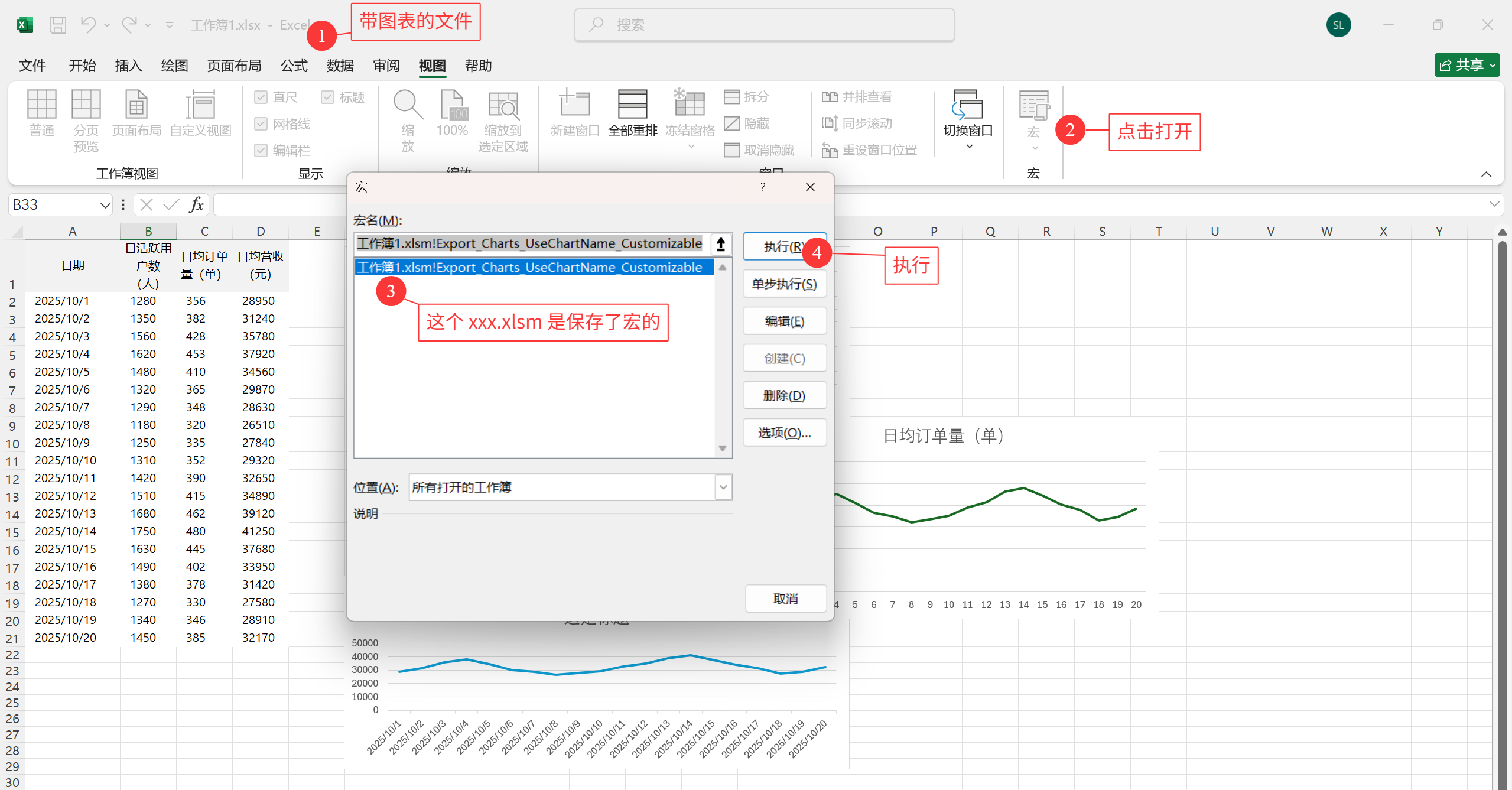
Sub Export_Charts_UseChartName_Customizable()
'======== 用户可自定义参数 ========
' 保留用户自定义前缀
Dim customPrefixToRemove As String: customPrefixToRemove = "结果画图 "
Dim exportFormat As String: exportFormat = "SVG" ' 可选:SVG / PNG / JPG
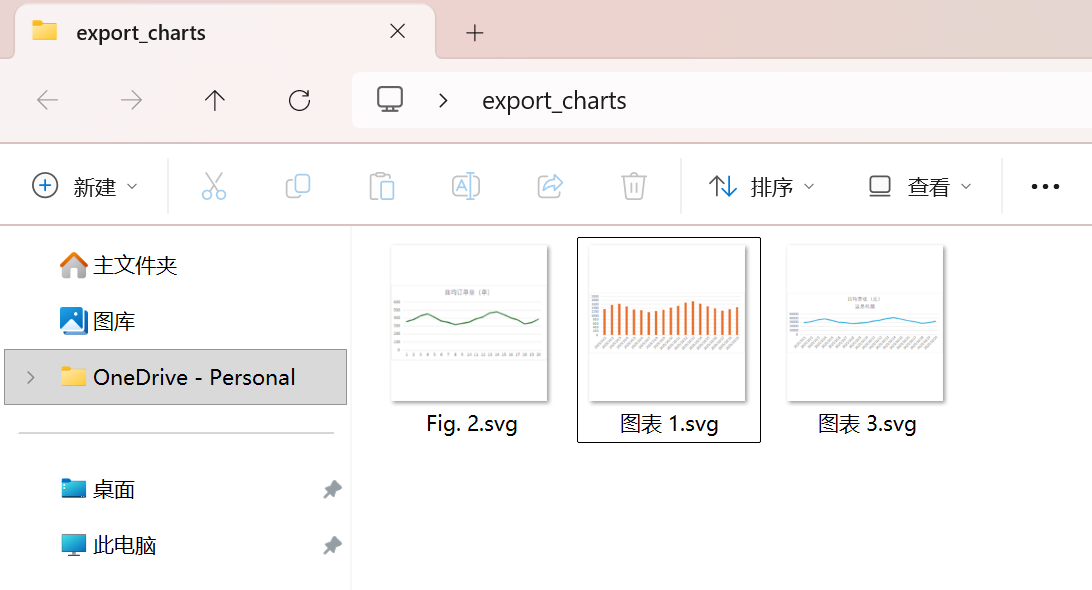
Dim exportFolderName As String: exportFolderName = "export_charts"
'=================================
Dim wbPath As String
Dim exportPath As String
Dim ws As Worksheet
Dim chObj As ChartObject
Dim ch As Chart
Dim chartName As String
' ★ 新增逻辑:设置所有需要尝试移除的前缀
Dim firstSheetName As String
Dim prefixesToTry(1 To 4) As String ' 包含用户前缀、第一个Sheet名(带空格/不带空格)
If ThisWorkbook.Sheets.Count >= 1 Then
' 获取第一个工作表名称
firstSheetName = ThisWorkbook.Sheets(1).Name
Else
firstSheetName = ""
End If
' 填充要尝试移除的前缀数组
prefixesToTry(1) = customPrefixToRemove ' 1. 用户自定义前缀 (如 "结果画图 ")
prefixesToTry(2) = firstSheetName & " " ' 2. 第一个工作表名 + 空格 (如 "Sheet 1 ")
prefixesToTry(3) = firstSheetName ' 3. 第一个工作表名 (如 "Sheet 1")
prefixesToTry(4) = firstSheetName & " " & customPrefixToRemove ' 4. Sheet名 + 空格 + 用户前缀 (复合情况)
' 获取当前工作簿路径
wbPath = ThisWorkbook.Path
If wbPath = "" Then
MsgBox "请先保存 Excel 文件,再运行宏。", vbExclamation
Exit Sub
End If
' 创建导出文件夹
exportPath = wbPath & "\" & exportFolderName
If Dir(exportPath, vbDirectory) = "" Then MkDir exportPath
'=========== 遍历嵌入式图表 ===========
For Each ws In ThisWorkbook.Worksheets
For Each chObj In ws.ChartObjects
Set ch = chObj.Chart
chartName = GetCleanChartName(ch) ' 获取名称 (优先标题,已移除 Sheet! 前缀)
' ★ 依次尝试移除所有预设前缀
chartName = TryRemovePrefixes(chartName, prefixesToTry)
chartName = CleanFileName(chartName)
' 确保 chartName 不为空
If Trim(chartName) = "" Then chartName = "UnnamedChart_" & ch.Name
ch.Export Filename:=exportPath & "\" & chartName & "." & LCase(exportFormat), _
FilterName:=exportFormat
Next chObj
Next ws
'=========== 遍历独立的图表工作表 ===========
For Each ch In ThisWorkbook.Charts
chartName = GetCleanChartName(ch)
' ★ 依次尝试移除所有预设前缀
chartName = TryRemovePrefixes(chartName, prefixesToTry)
chartName = CleanFileName(chartName)
If Trim(chartName) = "" Then chartName = "UnnamedChart_" & ch.Name
ch.Export Filename:=exportPath & "\" & chartName & "." & LCase(exportFormat), _
FilterName:=exportFormat
Next ch
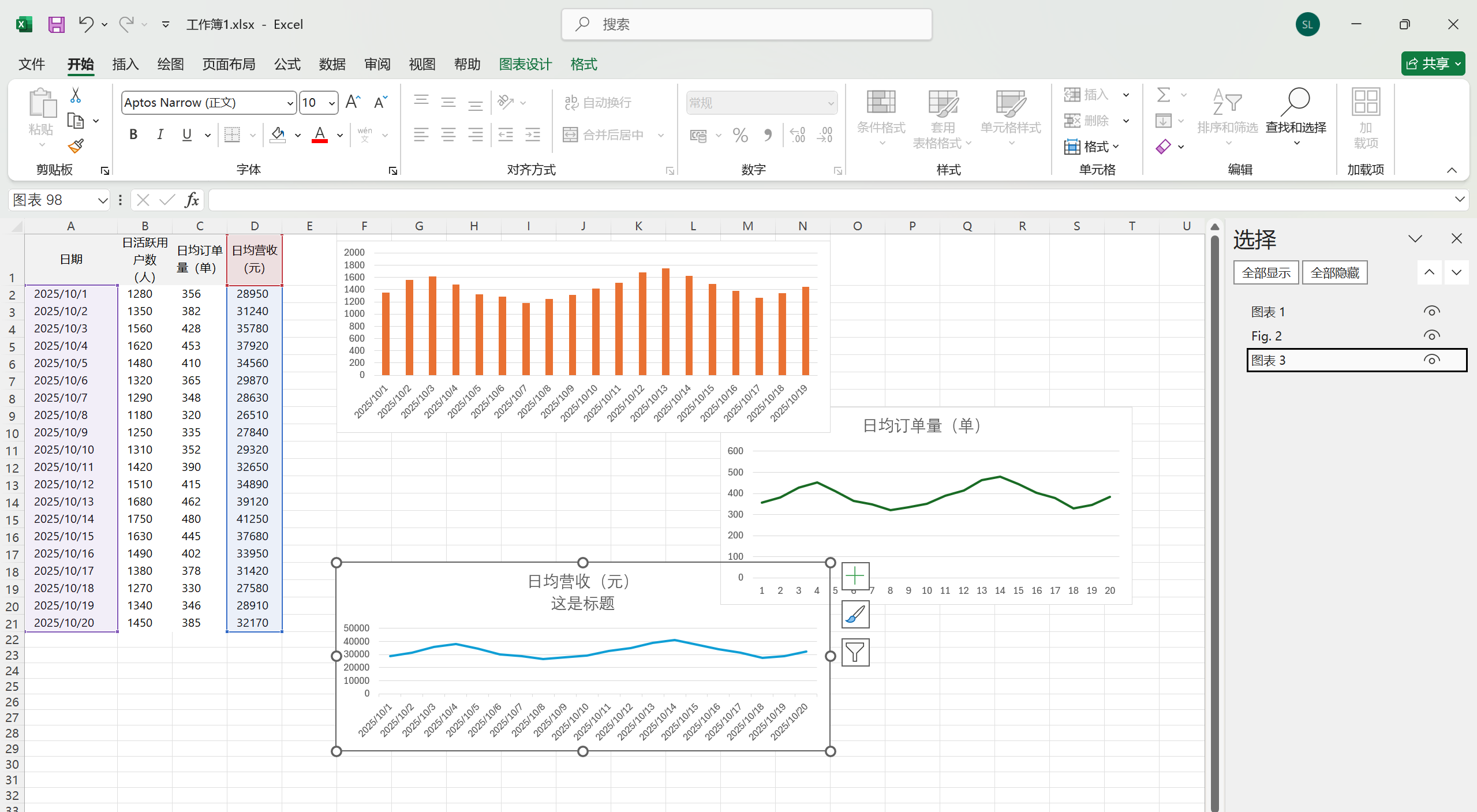
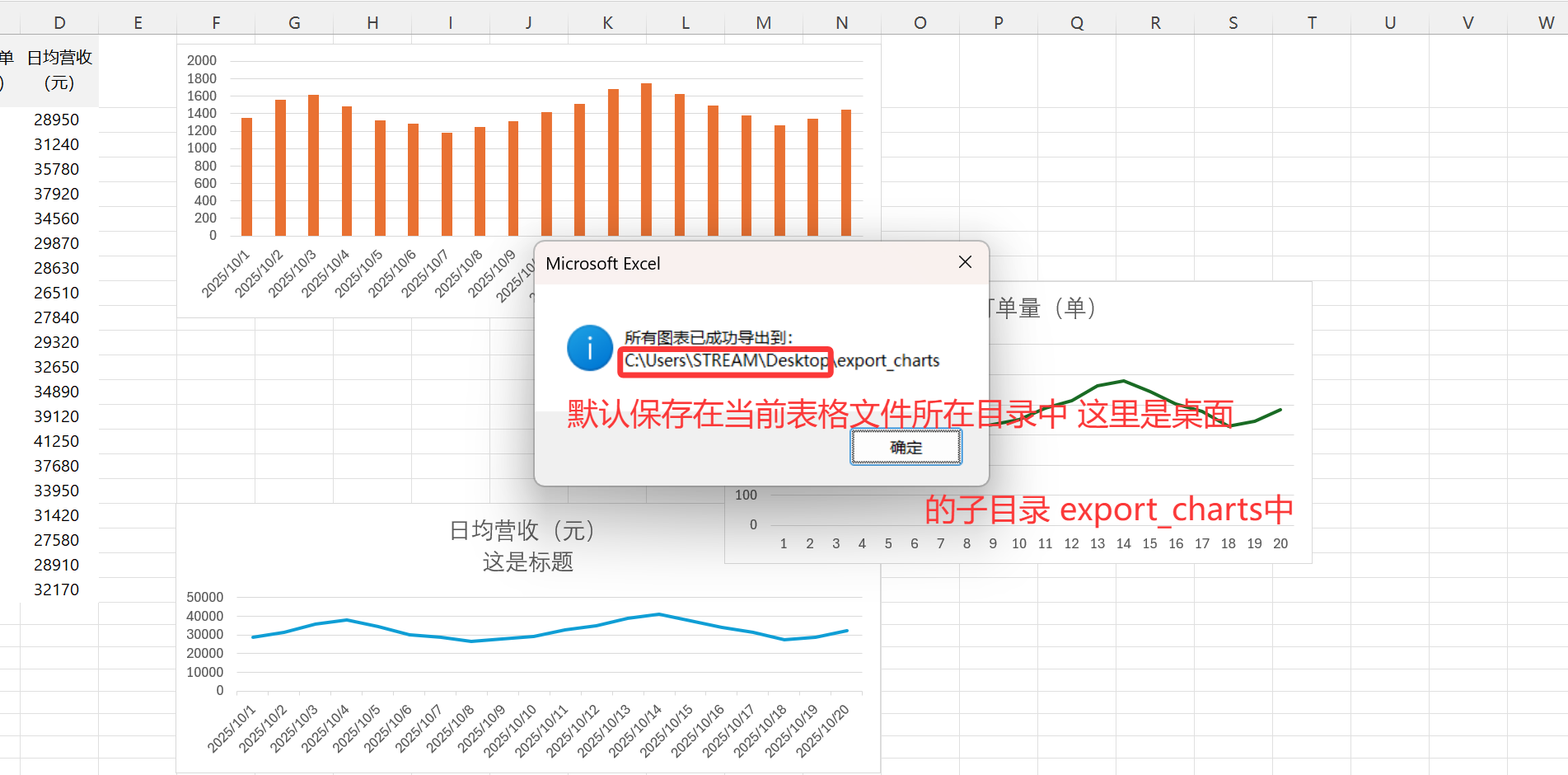
MsgBox "所有图表已成功导出到:" & vbCrLf & exportPath, vbInformation
End Sub
'========================== 工具函数区 ==========================
' 根据规则获取图表名字:
' 默认名称 → 图表标题 → 原名
Function GetCleanChartName(ch As Chart) As String
Dim nm As String
nm = ch.Name
' ★ 去掉可能的 Sheet 前缀,例如 "Sheet1!Chart 1" → "Chart 1"
If InStr(nm, "!") > 0 Then nm = Mid(nm, InStr(nm, "!") + 1)
' 检查是否为 Excel 默认图表名(Chart 1 / 图表 1)
If IsDefaultChartName(nm) Then
' 如果有标题,使用标题
If ch.HasTitle Then
If Trim(ch.ChartTitle.Text) <> "" Then
GetCleanChartName = Trim(ch.ChartTitle.Text)
Exit Function
End If
End If
' 无标题 → 返回原名
GetCleanChartName = nm
Else
' 非默认名称 → 保留用户命名
GetCleanChartName = nm
End If
End Function
' 判断名称是否为 Excel 默认图表名
Function IsDefaultChartName(nm As String) As Boolean
Dim s As String
s = Replace(LCase(nm), " ", "") ' 去空格统一格式
If s Like "chart#" Or s Like "chart##" Then
IsDefaultChartName = True
ElseIf s Like "图表#" Or s Like "图表##" Then
IsDefaultChartName = True
Else
IsDefaultChartName = False
End If
End Function
' 删除指定前缀
Function RemovePrefix(txt As String, prefix As String) As String
If prefix = "" Then
RemovePrefix = txt
ElseIf Left(txt, Len(prefix)) = prefix Then
RemovePrefix = Mid(txt, Len(prefix) + 1)
Else
RemovePrefix = txt
End If
End Function
' 替换非法字符
Function CleanFileName(fname As String) As String
Dim invalidChars As Variant
Dim ch As Variant
invalidChars = Array("\", "/", ":", "*", "?", """", "<", ">", "|")
For Each ch In invalidChars
fname = Replace(fname, ch, "_")
Next ch
CleanFileName = Trim(fname)
End Function
' 新增:依次尝试移除数组中的前缀
' 修改后的 TryRemovePrefixes 函数
Function TryRemovePrefixes(txt As String, prefixes As Variant) As String
Dim currentTxt As String
Dim p As Variant
currentTxt = txt
For Each p In prefixes
If p <> "" Then
' ★ 重点修改:使用 CStr() 强制转换,避免 ByRef 错误
currentTxt = RemovePrefix(currentTxt, CStr(p))
End If
Next p
TryRemovePrefixes = currentTxt
End Function
|