1
  2
  3
  4
  5
  6
  7
  8
  9
 10
 11
 12
 13
 14
 15
 16
 17
 18
 19
 20
 21
 22
 23
 24
 25
 26
 27
 28
 29
 30
 31
 32
 33
 34
 35
 36
 37
 38
 39
 40
 41
 42
 43
 44
 45
 46
 47
 48
 49
 50
 51
 52
 53
 54
 55
 56
 57
 58
 59
 60
 61
 62
 63
 64
 65
 66
 67
 68
 69
 70
 71
 72
 73
 74
 75
 76
 77
 78
 79
 80
 81
 82
 83
 84
 85
 86
 87
 88
 89
 90
 91
 92
 93
 94
 95
 96
 97
 98
 99
100
101
102
103
104
105
106
107
108
109
110
111
112
113
114
115
116
117
118
119
120
121
122
123
124
125
126
127
128
129
130
131
132
133
134
135
136
137
138
139
140
141
142
143
144
145
146
147
148
149
150
151
152
153
154
155
156
157
158
159
160
161
162
163
164
165
166
167
168
169
170
171
172
173
174
175
176
177
178
179
180
181
182
183
184
185
186
187
188
189
190
191
192
193
194
195
196
197
198
199
200
201
202
203
204
205
206
207
208
209
210
211
212
213
214
215
216
217
218
219
220
221
222
223
224
225
226
227
228
229
230
231
232
233
234
235
236
237
238
239
240
241
242
243
244
245
246
247
248
249
250
251
252
253
254
255
256
257
258
259
260
261
262
263
264
265
| /**
* @author Stream-L
* 脚本功能:批量为多个条目基于Better Notes模板创建子笔记
*
* 使用说明:
* 1. 多选条目(可以选择多个文献条目)
* 2. 运行此脚本
* 3. 从Better Notes的(条目)模板列表中选择一个模板
* 4. 脚本会为每个选中的条目创建一个基于模板的子笔记
* 5. 生成的笔记将作为各自条目的子笔记保存
*/
if (item) return; // 仅对所有选中项执行一次
const Zotero = require("Zotero");
const window = require("window");
const console = require("console");
// 获取选中的项目
let selectedItems = [];
if (typeof items !== "undefined" && items.length > 0) {
selectedItems = items;
} else if (typeof item !== "undefined") {
selectedItems = [item];
} else {
window.alert("请先选择要处理的条目");
return;
}
// 过滤出有效的条目(排除笔记和附件)
let validItems = selectedItems.filter(itm => itm.isRegularItem());
if (validItems.length === 0) {
window.alert("请选择至少一个有效的文献条目(不能是笔记或附件)");
return;
}
console.log(`[INFO] 选中了 ${validItems.length} 个有效条目`);
// 创建进度窗口
let progressWindow = new Zotero.ProgressWindow({ closeOnClick: false });
progressWindow.changeHeadline(`批量生成笔记 (共${validItems.length}个条目)`);
progressWindow.show();
/**
* 获取Better Notes的模板列表并让用户选择
*/
async function selectTemplate() {
try {
// 尝试使用Better Notes API获取模板
const BetterNotes = Zotero.BetterNotes;
if (!BetterNotes) {
throw new Error("Better Notes插件未安装或未启用");
}
// 获取所有模板的键名
const allTemplateKeys = BetterNotes.api.template.getTemplateKeys();
if (!allTemplateKeys || allTemplateKeys.length === 0) {
throw new Error("未找到任何模板");
}
// 只保留 [Item] 类型的模板(不区分大小写)
const itemTemplateKeys = allTemplateKeys.filter(key =>
key.toLowerCase().startsWith("[item]")
);
if (itemTemplateKeys.length === 0) {
throw new Error("未找到任何 [Item] 类型的模板");
}
console.log(`[INFO] 找到 ${itemTemplateKeys.length} 个 [Item] 类型模板`);
// 构建模板列表显示文本
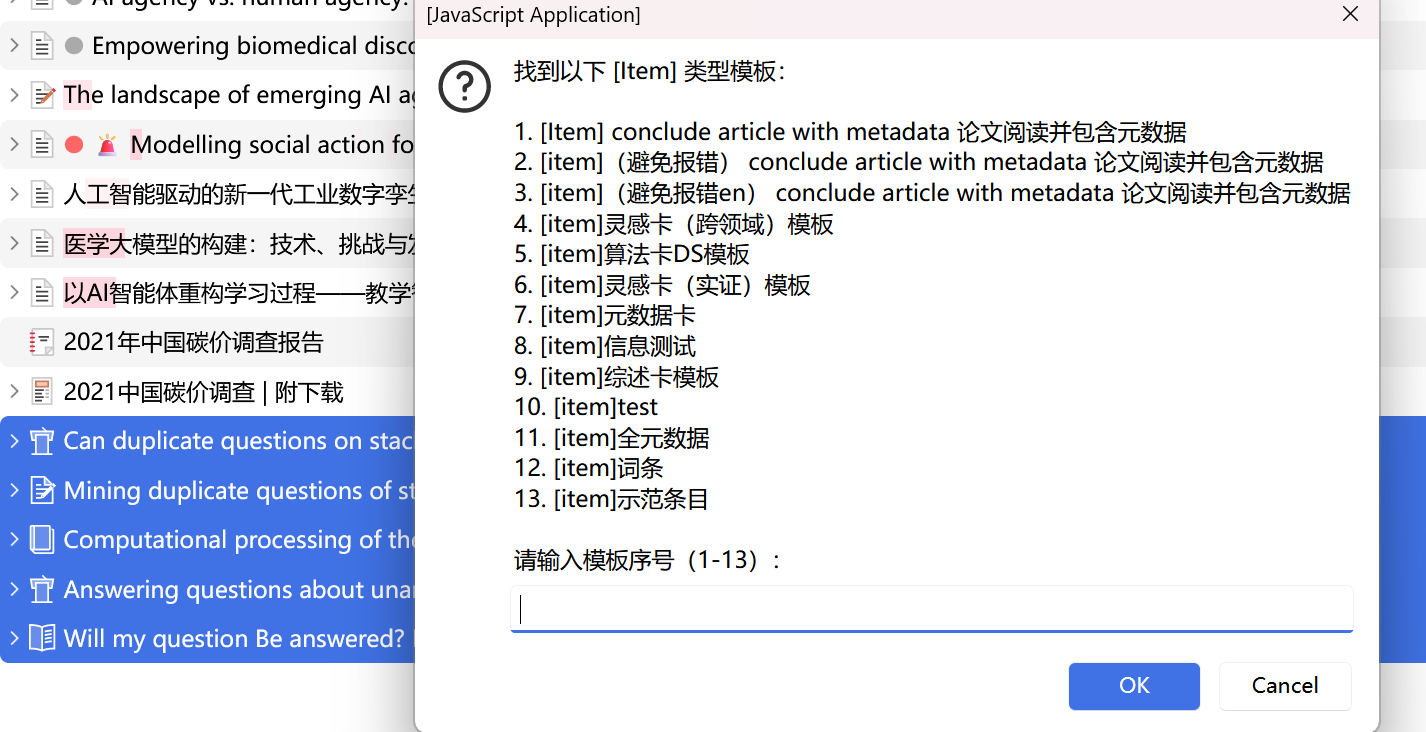
const templateList = itemTemplateKeys.map((key, idx) => `${idx + 1}. ${key}`).join('\n');
// 使用 prompt 让用户输入数字选择
const selection = window.prompt(
`找到以下 [Item] 类型模板:\n\n${templateList}\n\n请输入模板序号(1-${itemTemplateKeys.length}):`
);
if (!selection) {
return null;
}
const selectedIndex = parseInt(selection) - 1;
if (isNaN(selectedIndex) || selectedIndex < 0 || selectedIndex >= itemTemplateKeys.length) {
throw new Error("无效的模板序号");
}
return itemTemplateKeys[selectedIndex];
} catch (error) {
console.error("选择模板失败:", error);
throw error;
}
}
/**
* 为单个条目创建基于模板的笔记
*/
async function createNoteForItem(parentItem, templateKey, itemIndex, totalItems) {
const itemTitle = parentItem.getField("title") || "无标题";
const progressIcon = 'chrome://zotero/skin/spinner-16px.png';
const itemProgress = new progressWindow.ItemProgress(
progressIcon,
`[${itemIndex}/${totalItems}] ${itemTitle.substring(0, 50)}`
);
try {
itemProgress.setProgress(0);
itemProgress.setText("⏳ 正在创建笔记...");
// 1. 创建一个空笔记作为子笔记
const noteItem = new Zotero.Item("note");
noteItem.libraryID = parentItem.libraryID;
noteItem.parentID = parentItem.id;
await noteItem.saveTx();
itemProgress.setProgress(30);
itemProgress.setText("⏳ 正在应用模板...");
// 2. 使用 Better Notes 的模板引擎填充笔记
const BetterNotes = Zotero.BetterNotes;
let templateHTML = '';
try {
// Item 模板 - 会自动填充条目的元数据变量
templateHTML = await BetterNotes.api.template.runItemTemplate(templateKey, {
itemIds: [parentItem.id],
targetNoteId: noteItem.id,
});
itemProgress.setProgress(70);
itemProgress.setText("⏳ 正在写入内容...");
// 将模板结果插入笔记
await BetterNotes.api.note.insert(noteItem, templateHTML, -1);
// 保存笔记
await noteItem.saveTx();
itemProgress.setProgress(100);
itemProgress.setText("✅ 笔记创建成功");
return { success: true, noteId: noteItem.id };
} catch (error) {
console.error(`应用模板失败 (条目: ${itemTitle}):`, error);
// 如果笔记已创建但模板应用失败,删除笔记
if (noteItem.id) {
try {
await noteItem.eraseTx();
} catch (e) {
console.error("删除失败的笔记时出错:", e);
}
}
throw new Error(`应用模板失败: ${error.message}`);
}
} catch (error) {
console.error(`为条目创建笔记失败 (${itemTitle}):`, error);
itemProgress.setError();
itemProgress.setText(`❌ 失败: ${error.message.substring(0, 50)}`);
return { success: false, error: error.message };
}
}
/**
* 主流程
*/
async function main() {
let selectedTemplateKey = null;
try {
// 1. 让用户选择模板
console.log("[INFO] 正在加载模板列表...");
selectedTemplateKey = await selectTemplate();
if (!selectedTemplateKey) {
console.log("[INFO] 用户取消选择模板");
progressWindow.close();
return;
}
console.log(`[INFO] 用户选择模板: ${selectedTemplateKey}`);
// 2. 批量为每个条目创建笔记
const results = {
success: 0,
failed: 0,
errors: []
};
for (let i = 0; i < validItems.length; i++) {
const currentItem = validItems[i];
const result = await createNoteForItem(
currentItem,
selectedTemplateKey,
i + 1,
validItems.length
);
if (result.success) {
results.success++;
} else {
results.failed++;
results.errors.push({
title: currentItem.getField("title") || "无标题",
error: result.error
});
}
// 短暂延迟,避免过快
await new Promise(resolve => setTimeout(resolve, 100));
}
// 3. 显示汇总结果
console.log("=".repeat(60));
console.log("[完成] 批量生成笔记任务完成");
console.log(`成功: ${results.success} 个`);
console.log(`失败: ${results.failed} 个`);
if (results.errors.length > 0) {
console.log("\n失败的条目:");
results.errors.forEach((err, idx) => {
console.log(`${idx + 1}. ${err.title}`);
console.log(` 错误: ${err.error}`);
});
}
console.log("=".repeat(60));
// 显示最终汇总
const summaryIcon = results.failed === 0 ?
'chrome://zotero/skin/tick.png' :
'chrome://zotero/skin/cross.png';
const summaryProgress = new progressWindow.ItemProgress(
summaryIcon,
`完成:成功 ${results.success} 个,失败 ${results.failed} 个`
);
summaryProgress.setProgress(100);
progressWindow.startCloseTimer(5000);
} catch (error) {
console.error("[错误] 批量生成笔记失败:", error);
const errorProgress = new progressWindow.ItemProgress(
'chrome://zotero/skin/cross.png',
"批量生成失败"
);
errorProgress.setError();
errorProgress.setText(`❌ ${error.message}`);
progressWindow.startCloseTimer(5000);
}
}
// 执行主流程
main();
|